 Web Development
 APP Development
 CRM Development
 Digital Transformation
 Generative AI
 QA Testing & Automation
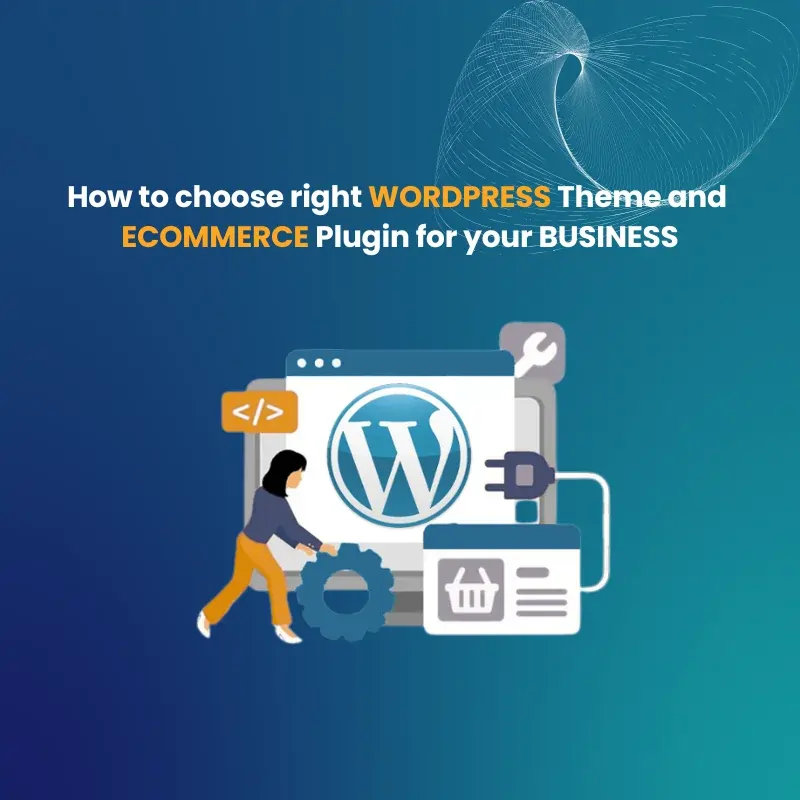
Most people starting a WordPress store ask the same thing: Do I pick the theme first or the plugin? The real answer is neither. You define what your business needs first, then everything else follows. Skipping this step is exactly why most stores get rebuilt six months after launch.
WordPress powers 43.5% of all websites in 2026. The platform works. Your setup is the variable. And a wrong setup costs you rankings, sales, and time you cannot get back.
Define Your Business and eCommerce Requirements
Before browsing a single theme or plugin, write down what your store actually needs. Not what looks nice. What your business requires to function.
Ask yourself:
- What am I selling? Physical goods, digital files, subscriptions, or services?
- How many products will I have in year one versus year three?
- Does my customer shop on mobile or desktop?
These answers filter your entire decision. A bakery taking custom cake orders needs a booking form and a deposit payment. A software company needs license key delivery and recurring billing. Same platform, completely different setup.
| Business Type | Must-Have Features |
| Physical store | Inventory, shipping calculator, returns |
| Digital products | Secure delivery, download limits, licensing |
| Subscriptions | Recurring billing, member portal |
| Services | Booking system, quote forms |
| Multi-vendor | Vendor dashboards, commission management |
If your requirements do not fit a standard template, that is a sign you need custom WordPress development rather than a plugin-patched workaround.
Choose a Compatible and Responsive WordPress Theme
The best WordPress theme for eCommerce is not the prettiest one. It is the fastest one that conflicts with nothing and gives you layout control without a developer on call.
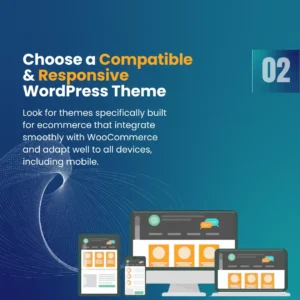
Google’s Core Web Vitals are a confirmed ranking signal. A slow theme will cost you search positions regardless of how good your content is.
What to Check Before You Buy Any Theme
- Test it on Google PageSpeed Insights before purchasing
- Confirm WooCommerce compatibility in the documentation
- Open the live demo on your actual phone, not a desktop simulation
- Check the last update date. Anything older than six months is a risk
- Read the one-star reviews. They tell you more than the five-star ones
Best WordPress Templates for eCommerce in 2026
| Theme | Best For |
| Astra | All-round WooCommerce stores |
| GeneratePress | Developer-led, clean code |
| Kadence | Block editor users |
| Blocksy | Visual-heavy product stores |
| OceanWP | Content-rich eCommerce |
A real example: A clothing store switched from Divi to Astra, and load time dropped from 4.2 seconds to 1.8 seconds. Conversions went up 23% that quarter without changing a single product or price.
“Your theme is not just a design decision. It is a performance, SEO, and conversion decision all in one.”
Evaluate Theme Performance, Design, and Plugin Requirements
A theme that looks great in a demo and performs poorly in production is one of the most common WordPress problems. Demo sites are optimized. Your real site with real plugins is different.
WordPress Speed Optimization Begins at the Theme Level
Your hosting and theme together account for around 70% of your site speed. Picking a bloated theme and fixing it with a caching plugin is patching a leak with tape.
Check plugin compatibility before you build anything. Your core stack for most stores includes:
- eCommerce plugin (WooCommerce or alternative)
- SEO plugin (Rank Math or Yoast)
- Page builder if using one
- Security, backup, and caching plugin
If a plugin not working in WordPress keeps happening, it is almost always a theme conflict, not the plugin itself. A proper WordPress plugin development service audits the full stack before building, not after problems appear.
Select the Right eCommerce Plugin
This decision is simpler than it looks once you know what each plugin is built for.
| Plugin | Best For | Cost | Limitation |
| WooCommerce | Large stores, physical and digital | Free + extensions | Needs optimization |
| SureCart | Subscriptions, digital, modern checkout | Free (1.9% fee) / $179 per year | Fewer gateways |
| Easy Digital Downloads | Software, ebooks, digital files | Free / from $99 | No physical products |
| FluentCart | Speed-focused stores | Paid | Smaller ecosystem |
| Ecwid | Multi-channel (web, social, Amazon) | Free up to 5 products | Limited customization |
When WooCommerce Makes Sense
WooCommerce powers over 4 million active stores. If you need flexibility, a large catalog, or deep third-party integrations, it is the right call. The trade-off is complexity and cost. Extensions for subscriptions alone run $279 per year. Without proper WordPress speed optimization, WooCommerce can slow your store significantly.
When to Use an Alternative
- Selling only digital products? Easy Digital Downloads was built for exactly this.
- Need subscriptions without extra cost? SureCart includes it natively.
- Selling across Instagram, Amazon, and your site? Ecwid handles one inventory across all channels.
- Is speed your top priority? FluentCart loads 65% less page weight than WooCommerce out of the box.
A digital course creator built their entire business on WooCommerce with a $279 subscriptions extension. Six months later, they migrated to SureCart and cut costs significantly. The migration took a full week of developer time. Choosing the right plugin from day one would have cost nothing.
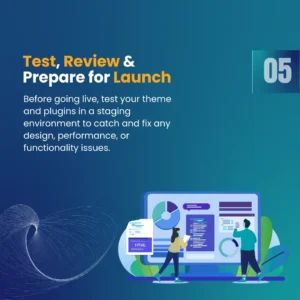
Test, Review, and Prepare for Launch
Launch is not the finish line. It is where you find out if your setup actually works.
Pre-Launch Checklist
- PageSpeed score above 80 on mobile
- Complete test purchase on desktop and mobile
- All payment gateways switched to live mode
- Every form tested, including checkout and contact
- SSL is active across all pages
- SEO plugin configured with meta titles, descriptions, and product schema
- Google Analytics and Search Console are connected
- Site tested on Chrome, Safari, and Firefox
If you ever see “there has been a critical error on this website” in WordPress, it is almost always a plugin update creating a theme conflict. This is why WordPress maintenance services are not optional for a live store. You need compatibility checks before updates go live, not after the damage is done.
What to Watch in Your First 30 Days
- Bounce rate by page. High bounce on a product page means something is wrong there.
- Cart abandonment rate. The industry average is around 70%. Higher than that means checkout friction.
- Core Web Vitals in Google Search Console.
- Plugin error log. Check it weekly in your first month.
Best SEO Plugin for WordPress and Why It Matters
SEO is not something you add after launch. It is built in from the start.
| Feature | Rank Math | Yoast SEO |
| Product schema markup | Free plan | Premium only |
| WooCommerce support | Full | Full |
| Keyword tracking | Built in | Needs integration |
| Page speed impact | Lighter | Slightly heavier |
For most eCommerce stores, Rank Math gives more on the free plan. Whether you use a WordPress SEO agency or manage it in-house, configuration matters more than which tool you pick.
Pages with clear statistics and direct statements get cited in AI search results 30 to 40% more often. That matters now and will matter more as AI-driven search grows.
WordPress Maintenance and What Happens When You Skip It
A proper WordPress maintenance plan covers:
- Core, theme, and plugin updates are tested in staging before going live
- Daily or weekly off-server backups
- Uptime monitoring with alerts
- Security scanning and malware removal
- Monthly speed audits and database optimization
For example, an electronics retailer skipped maintenance for four months to cut costs. One plugin update broke their checkout completely during peak season. Three days of lost sales cost far more than four months of maintenance would have.
“Going live without a maintenance plan is like opening a shop without insurance. Everything feels fine until it is not.”
When to Hire a WordPress Development Agency
There is a point where doing it yourself stops making financial sense. These are the signs you have reached it:
- You spend more than four hours a week managing the site instead of the business
- Your site has not been updated in 60 days because you are afraid something will break
- You want features, and your current setup cannot deliver
- You are running plugin conflicts that you cannot diagnose
When evaluating a WordPress web design agency or looking to hire a dedicated WordPress developer, look for live eCommerce portfolio work, transparent pricing, a clear development process, and evidence of ongoing maintenance support.
“The right WordPress consultant does not just build your site. They understand your business well enough to make decisions you would make yourself if you had their technical knowledge.”
QM Logics works with businesses that need proper WordPress development services, not just a theme swap with some plugins on top.
Conclusion
Your theme and eCommerce plugin are the foundation on which everything else is built on. Get the requirements right before choosing anything. Pick your theme based on performance, not appearance. Choose your plugin based on what you actually sell. Build in SEO and maintenance from day one.
The businesses that win on WordPress are not the ones with the most plugins. They are the ones with the most intentional setup from the beginning.
Frequently Asked Questions
Which is the best eCommerce plugin for WordPress?
Large physical product stores with WooCommerce. SureCart for subscription products and digital products. Simple download capabilities for software and downloadable content. It depends on what you sell, what the correct answer is.
What is the best WordPress theme for my WordPress store?
Test before design. Use PageSpeed Insights to run it before buying. Check the eCommerce plugin and SEO plugin compatibility. If the slow theme isn’t smooth, it’s difficult to clean up after adding effects to it.
What is causing my WordPress plugin to cause my site to break?
It is nearly always a problem between a plugin and your theme, or it’s a problem between two plugins consuming the same resource. Turn off all plugins and then turn on one by one. The conflict source is the last one that is activated before the problem comes back.
Is there an SEO plugin in WordPress for my online store?
Yes. It supports product schema, your XML sitemap, meta titles and descriptions, and on-page optimization tips. In 2026, Rank Math is the best free eCommerce tool available.