 Web Development
 APP Development
 CRM Development
 Digital Transformation
 Generative AI
 QA Testing & Automation
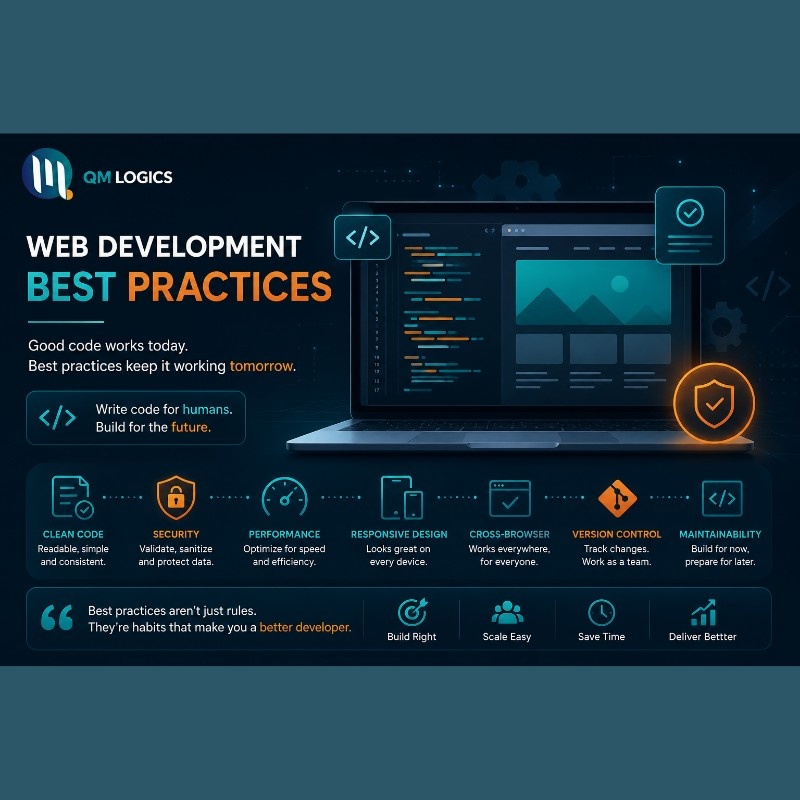
Developers ask this all the time: “Am I building this right?” And honestly, that question alone tells you something. It means you care. Most people who write bad code never stop to ask that.
Here’s the thing: knowing web development and knowing best practices are two completely different things. You can build a site that works today and falls apart in six months. Best practices are what prevent that. They’re what separate a developer who codes from one who actually builds.
This is not another generic list. This article covers real mistakes, real practices, and what actually works in 2026, whether you’re following a beginner web development roadmap or running projects at an enterprise web development company.
Web Development Best Practices Every Developer Must Know
Let’s start with the thing that most tutorials skip. Before writing a single line of code, you need a system. Not a perfect one. Just a consistent one.
The developers who struggle are usually the ones who start coding immediately. They figure out the structure as they go. Then, three weeks in, the project is a mess they can’t explain to anyone, including themselves.
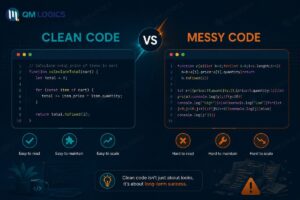
Here’s what actually matters from day one:
| Practice | Why It Matters |
| Version control with Git | You can undo anything. That confidence alone changes how you work. |
| DRY principle | Write it once, use it everywhere. Duplicated code is a bug waiting to happen. |
| Commenting your logic | Future you will thank present you. Seriously. |
| Server-side input validation | Never trust what comes from the frontend. Ever. |
| Testing before pushing live | Five minutes of testing beats four hours of fixing production bugs. |
None of these are complicated. But most beginners skip them. And then wonder why their projects break.
Web Development Roadmap: An Honest Starting Point
Look, there are a hundred roadmaps online. Most of them overwhelm people. Here is one that actually works:
- HTML and CSS first. No shortcuts here. Structure before everything.
- JavaScript next. Don’t jump to React JS before this is solid.
- Pick one frontend framework. React JS or Next.js. Not both. Not yet.
- Choose a backend. Node.js, if you want to stay in JavaScript. Laravel if PHP clicks for you. Django or Flask if Python is your thing.
- Learn one database well. MySQL for structured data. MongoDB if your data is flexible. PostgreSQL for complex enterprise-level queries.
- Then deployment. GitHub, Vercel, or a simple VPS. Get comfortable pushing real work live.
“The developers who go deep on fundamentals always outperform the ones who rush to frameworks.”
That’s not inspirational filler. It’s literally what hiring managers say when they explain why they pass on junior candidates.
Custom Web Development: Code That Doesn’t Break Later
Here’s a story worth knowing. A startup hired a freelancer to build their platform on a very tight budget. The site launched fine. After six months, they needed to add a new feature. That freelancer was gone. The new freelancer/developer they hired took one look at the codebase and said he couldn’t work with it. Full rewrite. $40,000 and four months gone.
Bad custom web development is expensive. Not at launch. Later.
Clean code habits that actually prevent this:
- Name your variables and functions like you’re explaining them to someone else
- One function does one thing. That’s the rule.
- Never mix HTML, CSS, and JavaScript logic into the same file carelessly
- Nested if-statements three levels deep are a sign that something went wrong
- ESLint and Prettier aren’t optional on a real project. Set them up on day one.
How Senior Developers Actually Organize Projects
At any serious front end web development company, the project structure is decided before the first component is built. A typical setup keeps source files in a src folder, breaking them into components, pages, styles, and utility functions. Public assets stay separate. Config files sit at the root.
It sounds simple. But this structure is what lets a new developer join a team and find what they need in ten minutes instead of ten days.
Front End Web Development: Speed Is Not a Feature, It’s a Requirement
A one-second delay in load time drops conversions by 7%. That’s not an opinion. That’s documented across dozens of industry case studies. And yet, most developers push sites live without running a single speed test.
Don’t be that developer.
Practical performance rules for every project:
- Compress every image before it touches the server. Tools like Squoosh or TinyPNG take thirty seconds.
- Lazy load images below the fold. Why load what the user hasn’t scrolled to yet?
- Minify CSS and JS files on build. Your bundler handles this automatically if it’s set up right.
- Use a CDN(Content Delivery Network). Serving files from the closest server to the user is always faster.
- Move scripts to the bottom or use defer. Render-blocking scripts are one of the biggest silent killers of load speed.
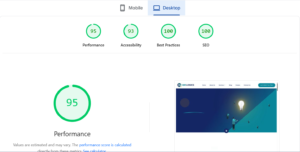
Run everything through Google PageSpeed Insights and GTmetrix before you call a project done. They’re free. There’s no excuse not to. For deeper technical performance reading, MDN Web Docs is the most reliable reference out there.
Bootstrap vs Tailwind CSS: Stop Overthinking It
This debate has gone on long enough. Here’s a clean answer:
| Framework | Use It When… | Skip It When… |
| Bootstrap | You need to move fast, or you’re early in learning CSS | The design is heavily customized and unique |
| Tailwind CSS | You want full control without fighting overrides | You’re a beginner, still learning how CSS actually works |
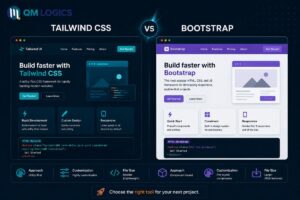
Both are good. The problem is using Bootstrap when you need Tailwind, or jumping to Tailwind before you understand what it abstracts away.
One small habit that saves hours on every project is define your colors and fonts as CSS variables at the top. Client wants a different shade of blue two months after launch? One line changed instead of forty.
Backend Best Practices: Node.js, PHP, Laravel, Python
Backend mistakes are expensive because they’re invisible. A broken button is obvious. A security hole in your API might go unnoticed for months. And then it isn’t.
No matter which stack you use, Node.js, PHP with Laravel, Python with Django, or Flask, these rules are not negotiable:
- Validate every input on the server. Always. Even if the frontend has already validated it.
- API keys and database credentials go in environment variables. Not in your code. Not ever.
- Log your errors properly. Silent failures are the worst kind to debug.
- Rate limit your endpoints. Bots will hammer your API the moment it’s live.
- Update your dependencies regularly. Outdated packages are where most exploits start.
Real case from 2023: A mid-size e-commerce platform had a data breach affecting thousands of users. The cause? Passwords are stored in plain text. One bcrypt function. That’s all, it would have taken. The fallout cost them far more than the development time ever would have.
The OWASP Top 10 is required reading for any backend developer. Not optional. Required.
MySQL, MongoDB, PostgreSQL: Pick the Right One
Developers spend too long debating databases. Here’s a simple filter:
| Database | Reach for It When… |
| MySQL | You’re building e-commerce, blogs, or any structured content |
| PostgreSQL | Your project involves complex relationships or enterprise-scale data |
| MongoDB | Your data structure changes often, or you’re building real-time features |

Whichever you pick, index your most-queried fields from the start. A query on an un-indexed column in a table with a million rows can go from milliseconds to four full seconds. That difference is real, and your users will feel it.
SEO Web Development: Build It Right or Fix It Twice
Most developers treat SEO like it’s someone else’s job. Then the site launches, nobody finds it, and the client asks why. By that point, fixing it means touching code that’s already live and tangled.
SEO web development means building search optimization into the structure from the beginning. Not bolting it on afterward.
Non-negotiables for every project:
- Use semantic HTML. H1 once. H2 and H3 in logical order. Use article, section, and nav tags properly.
- Every page needs a unique meta title and description. Not a template. Unique.
- Submit an XML sitemap in Google Search Console on launch day.
- Canonical tags on any page that could be reached through multiple URLs.
- Build mobile-first. Google indexes the mobile version of your site. That’s what gets ranked.
Google’s web fundamentals documentation is the definitive source for technical SEO done right. Bookmark it.
React JS and Next.js: The SEO Problem Nobody Warns You About
React JS is great. But plain React renders content on the client side. Search engines sometimes struggle to index it properly. You build a beautiful site, and Google sees a nearly empty page.
Next.js fixes this with server-side rendering and static generation built in. For any project where ranking matters, and almost every commercial project does, Next.js is the right call over plain React JS.
One practical tip: use the Next.js Head component to set meta tags dynamically on every route. Takes fifteen minutes to set up. Makes every page properly indexed without extra work later.
At QM Logics, every project we build starts with the technical SEO foundation locked in before design or content touches it. That’s why our clients rank.
Is Web Development Dying? Let’s Be Honest
This question is everywhere right now. Reddit, LinkedIn, and YouTube comments. And it comes from a real fear, not a silly one.
AI tools are writing code. GitHub Copilot is real. ChatGPT builds functional components in seconds. So yeah, the concern makes sense.
But here is what’s actually happening. The developers who copy-paste without understanding, who build WordPress sites with twenty plugins and no optimization, who follow tutorials without knowing why anything works; those developers are struggling. That part of the market is shrinking.
The developers who understand architecture, who can solve real problems, who combine technical skill with SEO knowledge and business thinking; they are busier than ever. Enterprise web development projects are not getting smaller. They’re growing.
What’s declining is low-skill, low-value work. What’s growing is everything else.
“AI writes code. It doesn’t understand the problem. That’s still a human job.”
Python web development, React JS, Node.js, Shopify customization, and custom web development for serious businesses; all of that is very much alive in 2026
Conclusion
Best practices are not rules someone made up. They’re lessons that came from real projects breaking at the worst possible times. Every habit in this guide exists because someone learned it the hard way.
Apply them one at a time. You don’t need to get everything right on the first project. You just need to get a little better on each one. That’s how good developers are actually built.
If you want a team that takes all of this seriously from the first conversation, QM Logics builds websites that are clean, fast, and built to rank.
Frequently Asked Questions
What are the most important web development best practices for beginners?
Start with the basics: clean code, consistent naming, Git from day one, and never skip input validation. These habits are harder to build later. Set them early, and everything else gets easier.
Which language should I learn for web development in 2026?
JavaScript is still the safest starting point. It covers the frontend with React JS and Next.js, and the backend with Node.js. Python is the second smart choice, especially with Django and Flask. PHP with Laravel is still highly relevant for agency and CMS work.
How long does it take to become a web developer?
Six to twelve months of consistent, focused practice gets most people to a job-ready level. The key word is consistent. Three hours of distracted watching beats sixty minutes of focused building. Always.
What is the real difference between frontend and backend?
Frontend is what users see and interact with — HTML, CSS, JavaScript, React JS, Tailwind CSS. Backend is the logic and data that makes it work — Node.js, PHP, Laravel, Python, Django, Flask, and whatever database fits the project.
How do I get my website to rank on Google?
Fast load time, proper semantic HTML, mobile-first design, solid meta tags, real content that answers real questions, and backlinks from relevant sources. SEO web development bakes all of this into the build. You can’t just add it at the end and expect the same results.