 Web Development
 APP Development
 CRM Development
 Digital Transformation
 Generative AI
 QA Testing & Automation
Your team is still patching a system from 2010 every few weeks. You know it. Your developers know it. And every time it breaks again, someone asks the same question out loud: why haven’t we fixed this properly yet?
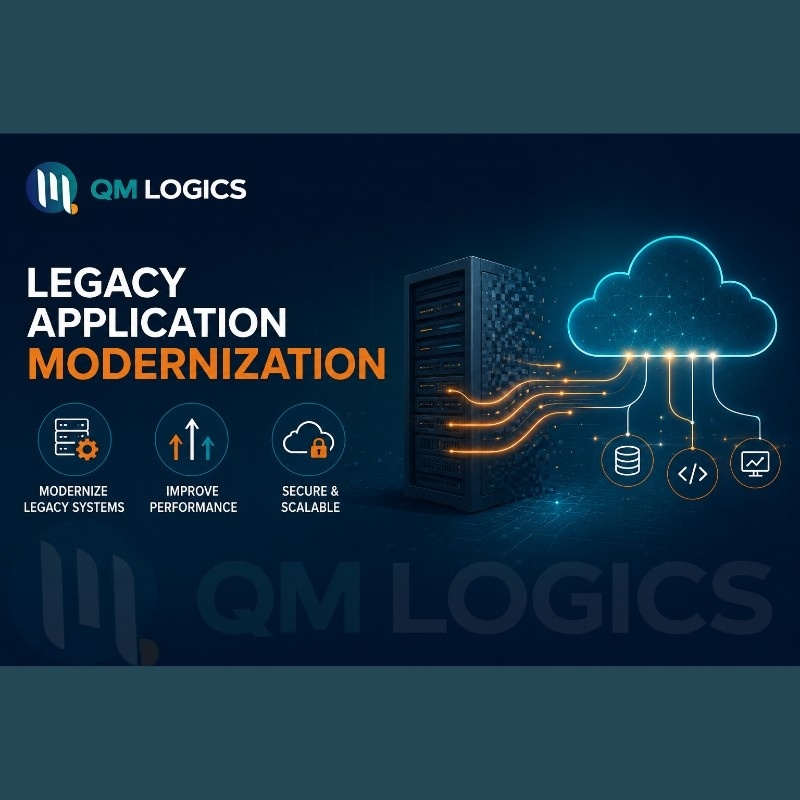
That’s what legacy application modernization actually solves. It’s the process of rebuilding, replatforming, or restructuring an old system so it stops working against you and starts working the way modern software should. I’ve sat in on enough of these conversations to know the hesitation isn’t really about cost. It’s about not knowing where to start, or fearing that touching the old system might break something nobody currently understands.
Here’s a number worth sitting with. The application modernization services market moved from roughly 17 billion dollars in 2023 to close to 30 billion in 2026, according to Keyhole Software’s market analysis. That growth isn’t hype. It’s businesses figuring out, often the hard way, that leaving an old system alone costs more than fixing it.
This piece covers what legacy application modernization actually means, real examples of legacy systems doing damage, a working strategy you can follow without hiring a consultant to translate it for you, and a short diagnostic I built from client work that tells you whether your system needs attention now or can wait.
What Legacy Application Modernization Actually Means
Legacy application modernization means updating, restructuring, or replacing software that can no longer keep up with the business running on top of it. Sometimes that’s a full rebuild. More often it’s smaller than people expect, like moving a system to the cloud or wrapping it in an API so it can finally talk to your other tools.
People assume this only applies to giant banks running COBOL(Common Business-Oriented Language) mainframes. It doesn’t. A ten-person retail business running a 2011 desktop inventory tool has the same underlying problem as a bank, just smaller and cheaper to fix.
What actually makes a system “legacy” isn’t its age. It’s whether it can still be updated safely, whether anyone left on the team understands how it works, and whether it’s quietly blocking you from adopting tools your competitors already use.
A few legacy application examples I run into constantly:
- On-premise ERP software built before cloud access was standard
- Old PHP or classic ASP sites with no mobile responsiveness
- CRMs with zero API support, so nothing else can connect to them
- Desktop-only accounting tools with no live reporting
- WordPress sites running plugins nobody has updated in years
One retail client was manually retyping every online order into a 2011 desktop system because the site had never been connected to it. Hours lost daily, and order mistakes that were genuinely embarrassing for them with customers. That’s not a technology failure. That’s a business bleeding time nobody noticed until we mapped it out.
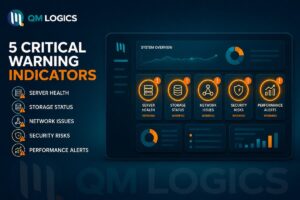
The Diagnostic Nobody Talks About: 5 Signals That Say “Fix It Now”
Most guides tell you to “assess your system” and leave it there. That’s not useful advice on its own. So here’s the actual checklist I use before recommending anything to a client, built from pattern spotting across dozens of legacy application modernization projects.
If two or more of these are true, the system needs attention this quarter, not next year:
- A single person on staff is the only one who understands how the system works
- Manual workarounds exist to compensate for something the software should do automatically
- The system has no way to export or receive data without someone doing it by hand
- A security patch or vendor update hasn’t shipped for the platform in over two years
- Adding a new feature takes longer to plan than to actually build
That fifth one catches people off guard the most. When planning takes longer than execution, it usually means the codebase has become so fragile that every change requires defensive engineering just to avoid breaking something else. That’s a system quietly costing you more than it’s saving.
How to Modernize Legacy Applications Without Overspending
The biggest mistake in modernizing legacy applications is jumping straight to a full rebuild before understanding what’s actually broken. Rebuilds are expensive, and half the time the real issue is something much smaller, like a missing integration or an outdated database layer.
Start by mapping what the system does, who depends on it, and where the actual pain is coming from. I ask three things before touching anything: 1) What breaks most often? 2) What costs the most to maintain? and 3) What’s actually blocking growth right now? Skip this step, and you’ll end up with a project that runs over time, over budget, or both.
Once you know the real problem, match it to the lightest fix that solves it:
- System works but is slow or hard to access remotely: move it to the cloud
- Logic is sound, but the structure is a mess: refactor into smaller, manageable pieces
- Can’t meet current security or compliance requirements: rebuild is likely unavoidable
- Stable, rarely touched, doing its job fine: leave it alone for now
A lot of businesses either overspend on a rebuild they didn’t need or underspend on a patch job that puts them right back here in eighteen months. This is why our digital transformation strategy work always starts with this matching step before any code gets touched.

What a Real Legacy Application Modernization Framework Looks Like
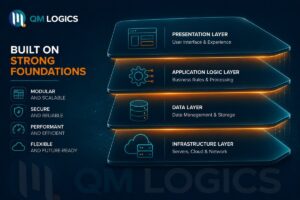
A framework that actually works has to touch 4 layers: the interface, the business logic, the data, and the infrastructure underneath it. Most failed projects only touch the interface, leaving the deeper problems there, waiting to resurface.
Here’s an application modernization example that shows exactly why that matters. A healthcare provider moved its patient records to the cloud but never touched the underlying data structure. The migration itself “succeeded” on paper. Then integration failures and access delays dragged on for months because the real problem, the data layer, was never actually fixed.
Larger companies hit the same wall. Capital One’s cloud transformation is a well-documented one, and what stands out is that it wasn’t a simple lift and shift. They closed physical data centers and rebuilt core systems on AWS with proper microservices, not just a copy-paste job into the cloud.
A Case Study From Our Own Work
One project that sticks with me involved a client whose custom software ran on a Laravel backend another developer had walked away from. No documentation, no notes, just a broken system and a deadline. Our team at QM Logics took it on, and the fix required actually understanding Laravel’s structure rather than tearing it out and starting over.
The client, based in London, put it this way afterward: “Exceptional Laravel skills, took on a task my developer couldn’t solve. Highly recommended.” That’s modernization through targeted repair, not a ground-up rebuild, and it’s often the faster and cheaper path when the underlying logic still holds up.
What AI Actually Changed in 2026
AI has genuinely reshaped how fast this work moves, more than any other factor in the last two years. QM Logics 2026 research found AI tools can now summarize ninety-five thousand lines of legacy code in under an hour approx. That used to eat weeks of a developer’s time before a single line got touched.
This matters because understanding the old code was always the slowest part. Before you can rewrite anything, someone has to figure out what it’s actually doing, often with zero documentation to go on. AI has cut that discovery time down dramatically.
Payback periods reflect it too. Projects using AI-assisted delivery in 2026 are seeing payback in fourteen to twenty-six months, down from thirty-six to sixty months a few years back, per TechBullion’s 2026 modernization playbook. That’s a real shift if you’ve been putting this off, waiting for it to get cheaper.
One thing hasn’t changed though. Run the new system alongside the old one for a few weeks before fully switching over. Compare the outputs. Catch the differences before your customers do.
Picking a Legacy Application Modernization Company
The technology stack matters less than most people think. What actually matters is whether the company you hire assesses your system properly before recommending anything. If a legacy application modernization company jumps straight to “let’s rebuild everything,” that’s usually a sign they’re skipping the step that protects your money.
At QM Logics, we start every legacy application modernization services engagement by figuring out what the business actually needs the system to do, not what’s trendy in a conference talk. Our custom enterprise software development and QA and testing teams work together on this so nothing slips through during handoff.
Client feedback tends to circle back to the same two things: clear communication and nothing missed. A client in the Netherlands told us, “The team delivered excellent quality quickly without missing any details. Communication was seamless, and the result was exactly what I needed.” Another, in Egypt, said working with us made them want to come back for the next project. That consistency is what actually makes a modernization project land well, since trust between the business and the dev team shapes how smoothly the whole thing runs.
Conclusion
Legacy application modernization was never really about chasing new technology. It’s about removing the daily friction an old system creates, whether that’s someone manually retyping orders or a codebase so fragile nobody wants to touch it anymore.
The 5-signal checklist above is the fastest way I know to figure out if you’re dealing with a problem that can wait or one that’s actively costing you money right now. If two or more of those signals sound familiar, that’s usually your answer.
Frequently Asked Questions
What does legacy modernization mean, in plain terms?
It means updating old software, so it works with current technology, meets today’s security standards, and can actually connect to the tools your business uses now.
How long does a legacy application modernization project take?
Depends entirely on the path. Cloud rehosting can take a few weeks. A full rebuild of something complex can run several months. The assessment phase tells you which one you’re dealing with.
Is this only something large enterprises need to worry about?
No. A small business running an outdated CRM or inventory system carries the same risk as a large enterprise, just at a smaller scale and usually a smaller price tag to fix.
What’s the safest way to modernize without downtime?
Run the new system next to the old one for a few weeks before cutting over fully. Compare outputs side by side and catch problems before customers ever see them.
Can AI fully handle legacy application modernization on its own?
Not yet. It speeds up code analysis massively, but testing, compliance checks, and architecture decisions still need a human in the loop.