 Web Development
 APP Development
 CRM Development
 Digital Transformation
 Generative AI
 QA Testing & Automation

If you told me in 2020 that I would be shipping decent-looking apps in days, not weeks, with one codebase and fewer “why is this only broken on iPhone 13 Mini” moments, I would have smiled politely and kept suffering.
But here we are.
Flutter Development in 2026 is not just “cross-platform” anymore. It’s more like a pretty serious product machine. You can go from a scrappy idea to a clickable prototype, to a real app in the stores, to something you can actually maintain without needing a small army.
This post is a practical walk-through of what “fast” looks like now. Not theoretical. Not a framework comparison war. Just here’s how you do it, what to use, what to skip, and what will still bite you if you’re careless.
What changed, really, between old Flutter and Flutter in 2026
Flutter always had the pitch: one UI toolkit, one codebase, native performance. The difference in 2026 is that the ecosystem and the workflow finally feel grown up.
A few things are noticeably better now:
- The tooling is calmer. Fewer weird build breaks, less “it worked yesterday” drama.
- Flutter web is usable for real internal tools, dashboards, simple customer products. Not everything, but enough.
- Packages around auth, payments, analytics, push, in-app purchases. They’re more standardized, less abandoned.
- Design systems are easier to implement and keep consistent across platforms.
- AI-assisted development is everywhere, and Flutter benefits a lot because UI code is repetitive by nature.
- Backend choices are clearer. You can move faster without locking yourself into something painful.
Also. Teams got better at Flutter. That’s underrated. In 2026, you can hire people who have shipped Flutter apps before. That used to be rarer.
The result is obvious: less friction, faster feedback loops, and faster shipping.
However, it’s important to remember that not all legacy applications can leverage these advancements seamlessly. Some may require legacy application modernization, which aims to fix outdated systems while cutting risks associated with such transitions. This highlights the importance of adaptable technology solutions that can evolve with changing times – something that QMLogics specializes in.
The “idea to app” path that actually works
When people say “I want to build an app fast”, they usually mean one of two things:
- They want something they can show users this week.
- They want something that can become a real product without a full rewrite later.
You can do both. But only if you’re intentional from day one.
Here’s the rough path I use:
- Clarify the product slice (not the whole product).
- Build a prototype UI quickly.
- Pick your backend approach early, even if you stub it.
- Build the first vertical feature end to end.
- Add polish only after the loop works.
- Ship to testers. Then ship to stores.
- Only then expand.
Flutter fits this flow because UI iteration is fast and code reuse is real. But you still have to choose the right level of “architecture” for the stage you’re in.
So let’s go step by step.
Step 1: Start with one boring, specific problem
The fastest apps are the ones that don’t try to be apps. They try to solve one annoying thing.
Write a one-sentence problem statement. Like:
- “I want to track freelance invoices and see overdue payments instantly.”
- “I want a simple workout timer with templates and history.”
- “I need a small team scheduling tool that doesn’t feel like enterprise software.”
Then force yourself to define the first release as a single loop.
For example, a workout timer loop might be:
Create routine → start routine → timer runs → mark complete → see history.
That’s it. Not profiles. Not social. Not a marketplace. Not a blog.
If you lock the loop first, Flutter helps you build that loop in a tight, satisfying way.
Step 2: Prototype the UI in Flutter without pretending it’s final
A lot of people prototype in Figma and then “implement” later. That’s fine, but if you’re trying to move fast, Flutter itself can be the prototype.
In 2026, the sweet spot is:
- Build the navigation structure and main screens in Flutter early
- Use fake data and local mocks
- Focus on interaction and flow, not backend correctness
You can get a convincing prototype by leaning on:
- Material 3 (or Cupertino where it matters)
- A consistent spacing system
- Realistic text, not lorem ipsum
- Light motion, basic transitions
And you can do it fast if you define a tiny design system first.
A tiny design system that saves you days later
You don’t need a full design token framework. You just need consistency.
Do this at the start:
- Define a color palette (primary, surface, error, text)
- Define type scale (3 to 5 text styles)
- Define spacing steps (4, 8, 12, 16, 24, 32)
- Define a corner radius rule (like 12 for cards, 16 for sheets)
- Define one button style, one input style, one card style
Then enforce it.
The point is not “design”. It’s speed. Once the UI has predictable rules, you stop debating every screen.
Step 3: Decide your backend strategy early (yes, even if you’re solo)
Flutter is frontend. Your app still needs data, auth, notifications, payments, storage. The reason apps get slow is not UI. It’s backend indecision.
In 2026, most fast Flutter apps land in one of these backend buckets:
Option A: Firebase or Supabase style “product backend”
Good for: MVPs, consumer apps, apps that need auth and real-time.
- Auth is quick
- Storage is quick
- Push and analytics are available
- You can ship without a custom server for a while
Tradeoff: Data modeling constraints, pricing surprises if you scale badly, and sometimes awkward complex queries.
Option B: A simple API with a boring database
Good for: Serious products, businesses, anything with complex logic.
- Use a straightforward backend (Node, Go, Python, .NET, whatever you like)
- PostgreSQL
- REST or GraphQL
- Background jobs
- Stripe for payments
Tradeoff: More setup, but fewer long-term constraints.
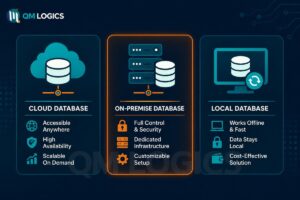
Option C: Offline-first local database with sync later
Good for: Field apps, productivity tools, anything that must work with bad internet.
- Local database is primary
- Sync is a feature, not the foundation
Tradeoff: Sync logic can get tricky.
If you are trying to move fast, pick A or B. And don’t overbuild it. Just choose.
My personal bias for fast shipping: start with a product backend, but design your data layer in Flutter so you can swap later without rewriting your UI.
Which leads to the next point.
Step 4: Pick an architecture that doesn’t slow you down
Architecture debates are where speed goes to die.
In 2026, you can build very clean Flutter apps with a simple layered approach:
- UI layer: widgets, screens, navigation
- State layer: view models/notifiers/blocs, whatever you like
- Data layer: repositories that talk to APIs, DB, or both
- Domain layer (optional early): use cases, entities, validation
You can be practical about it.
If the app is tiny, keep it light.
If the app will grow, set up boundaries early so you can add complexity without chaos.

State management in 2026: it’s about team fit, not religion
Flutter still gives you choices: Provider style patterns, Riverpod style patterns, Bloc, Cubit, Redux variants, MobX, signals patterns. The ecosystem is mature enough that this is mostly preference.
What matters is:
- Can you debug state changes?
- Can you keep business logic out of widgets?
- Can you test the tricky parts?
- Can a new dev understand it in a day?
If you want speed, pick something popular and consistent, and stop switching.
A tip that helps a lot: Keep widget code dumb. If your widget is doing auth checks, data parsing, caching, and analytics calls. You’re going to slow yourself down later.
Step 5: Build one vertical slice end to end (and make it real)
This is where people either ship or quit.
A vertical slice means: One user story, fully working, with real backend integration and real error handling.
Example for an invoice app:
- User signs in
- Creates invoice
- Invoice is stored in backend
- List refreshes
- Offline or network error shows a friendly UI
- Basic logging exists
It’s not “pretty”. It’s functional.

Why it matters: Once you do one vertical slice, you uncover the real friction points. Auth setup, API errors, caching decisions, platform permissions, store configs. The stuff you can’t avoid.
Also, it gives you momentum because you finally have something that behaves like an app.
Step 6: Use AI to accelerate the boring parts, but keep humans in charge
AI coding assistants in 2026 are very good at Flutter boilerplate. Navigation scaffolds, model classes, form validation, test templates, widget refactors. It’s a huge speed win.
But the trap is letting it design your app for you. You’ll get a pile of code that technically works, but feels inconsistent and fragile.
Here’s the best way to use AI in Flutter development right now:
- Generate repetitive widget structures, then you edit
- Ask for 2 to 3 alternative implementations, pick one
- Use it to write tests you would otherwise skip
- Use it to explain compiler errors quickly
- Use it to refactor big widgets into smaller parts
And be strict about rules:
- No mystery dependencies unless you approve them
- No “clever” patterns you can’t maintain
- No ignoring null safety and typing
- No giant files that feel like spaghetti
Fast is good. But only if you’re not creating debt at 10x speed.
Step 7: Build for multiple platforms without turning it into a nightmare
Flutter’s promise is multi-platform. The reality is still: platforms have quirks.
The trick in 2026 is to be strategic.
The common stack that ships fast
- Mobile first (iOS + Android)
- Web only if it fits the product (admin panels, marketing flows, internal tools)
- Desktop only if you have a clear reason (B2B tools, heavy workflows)
If you try to ship all platforms day one, you’ll slow down.
Handle platform differences like a grown-up
Most UI can be shared. But these areas usually need extra attention:
- In-app purchases and subscriptions
- Push notifications and permissions
- File access and background tasks
- Deep links
- Keyboard and focus behavior on web/desktop
- Accessibility differences
The fastest way is to isolate platform services behind interfaces in your data or service layer, and keep the UI mostly shared.
Also. Test on real devices early. Emulators lie in subtle ways.
Step 8: Performance and polish, but only after the app works
Flutter is fast, but you can still build a slow app. Usually by accident.
In 2026, the biggest performance killers are still boring:
- Rebuilding huge widget trees unnecessarily
- Unbounded lists without virtualization patterns
- Too many animations layered on top of each other
- Heavy images not resized properly
- Doing expensive work on the UI thread
- No caching, so everything reloads constantly
A practical approach:
- Use performance overlays when things feel off
- Profile before “optimizing”
- Cache network responses where it makes sense
- Keep your lists and grids efficient
- Don’t over-animate. Seriously.
Polish is important, but it’s also a rabbit hole. The rule I like:
Make it feel reliable first. Then make it feel delightful.
Reliability is faster to sell than delight anyway.
Step 9: Testing in 2026: just enough to keep you moving
Testing is a weird one. Some teams ship with almost none, then pay for it later. Some teams write 400 tests before they have users.
The middle path is best if you want speed.
What I’d do for a fast Flutter product:
- Unit test the core business rules (pricing logic, validation, formatting)
- Test your data layer integration points (API parsing, repository behavior)
- Add a small number of golden tests for key UI screens if your UI is sensitive
- Add a couple end-to-end flows if the app is transactional (checkout, signup)
You don’t need perfect coverage. You need confidence to refactor.
Also. If you use AI to generate tests, you can cover more ground faster. Just review them. Some generated tests are basically nonsense with assertions that don’t mean anything.
Step 10: Shipping to App Store and Play Store is still a project; plan for it
This part is not Flutter’s fault, but it’s still where “fast” projects stall.
If you want to go from idea to app fast, do the store prep earlier than you think:
- Bundle IDs/application IDs
- App signing and keystores
- Privacy policy and data collection disclosures
- App icons, splash screens, screenshots
- TestFlight / internal testing tracks
- Subscription setup if needed
- Deep link and domain verification if needed
And do this one thing that saves you pain: decide your app name early. Not final branding, but enough to set identifiers and avoid collisions.
In 2026, store review still punishes vague privacy explanations and broken login flows. So make sure:
- If you require login, you provide a demo account for reviewers if appropriate
- Your permissions requests are justified in app, not just in the manifest
- Your app does not crash on first launch, even offline
Sounds obvious. Yet. This is where many MVPs die.
If you’re looking for further insights into enhancing your app’s development process, consider exploring resources like QMLogics, which offers valuable information on effective app development strategies.
The “fast Flutter stack” I see most successful teams using
This will vary, but if you want a reference point, here’s a stack that tends to ship quickly without being a mess later.
- Flutter stable channel
- A consistent state management approach, used everywhere
- A router solution that supports deep links and guarded routes
- A typed networking client with good error handling
- A repository pattern to isolate data sources
- A local cache (even a simple one) to avoid constant loading spinners
- Crash reporting and analytics from day one
- Feature flags if you expect rapid iteration
- CI builds for Android and iOS, even if basic
Notice what’s not there.
No microservices. No “event-driven architecture” for your habit tracker. No massive internal framework. No rewriting your own UI kit for fun.
Fast is often about what you don’t do.
A realistic 14-day timeline (yes, actually realistic)
Let’s say you’re building a small consumer app. One core loop. Auth, basic data, push notifications later.
Here’s a timeline that doesn’t require superpowers.

Days 1 to 2: Define the slice and map the screens
- Write the core loop
- Sketch 5 to 8 screens
- Set up the Flutter project
- Set up basic theming and components
Days 3 to 5: Build UI with fake data
- Implement navigation
- Build list and detail screens
- Build forms with validation
- Make it feel coherent visually
Days 6 to 8: Connect the backend
- Auth
- CRUD for the core feature
- Error handling and loading states
- Basic logging
Days 9 to 10: Offline and edge cases
- Empty states
- Offline behavior (even basic)
- Retry flows
- Input constraints
Days 11 to 12: Beta testing
- Internal testing track or TestFlight
- Fix the obvious issues
- Improve onboarding text
- Add a feedback channel
Days 13 to 14: Store prep and submission
- Icons, screenshots, metadata
- Privacy policy
- Final QA pass on real devices
- Submit
Will it be perfect? No.
Will it be real? Yes.
That’s what you want.
Where Flutter still slows people down in 2026 (so you can avoid it)
Flutter is fast. People are not.
Here are the common traps:
Trap 1: Over-engineering too early
If you have a folder called “abstractions” on day 3, you’re probably procrastinating.
Build one vertical slice first. Then refactor.
Trap 2: UI perfection before product validation
You can spend three days making a settings screen gorgeous and still have no users.
Make the core loop work. Then polish.
Trap 3: Package addiction
Flutter has packages for everything. Some are great. Some will be abandoned in six months.
Be conservative with dependencies. If something is core to your product, prefer stable, well-maintained packages. Or write a tiny wrapper yourself so you can swap later.
Trap 4: Ignoring platform rules until the end
Permissions, background tasks, iOS quirks, store policies. These are not “later problems”. They become “suddenly we can’t ship” problems.
Trap 5: Not instrumenting the app
If you ship without crash reporting and basic analytics, you will waste time guessing.
At minimum, you want to know:
- What screens users reach
- Where they drop off
- What errors occur
- What devices crash

The real reason Flutter is a “ship fast” framework in 2026
It’s not just that Flutter renders UI well.
It’s that the feedback loop is tight.
- You change a widget. You see it immediately.
- You share most UI and logic across platforms.
- The ecosystem has solutions for the common stuff.
- You can build a consistent UI without fighting native UI kits.
- You can onboard developers faster because the patterns are pretty straightforward.
And honestly. The developer experience matters. If the tool feels good, you ship more.
That’s the quiet advantage.
Conclusion
Flutter development in 2026 is basically about momentum.
You take a small, specific idea. You prototype directly in Flutter. You pick a backend path early. You build one vertical slice that actually works. Then you ship, learn, iterate. Without turning the codebase into a science project.
If you want one simple rule to keep you moving:
Build the loop. Ship the loop. Improve the loop.
Everything else can wait.
Frequently Asked Questions
What makes Flutter in 2026 different from its earlier versions?
Flutter in 2026 has evolved beyond just being a cross-platform UI toolkit. The ecosystem and workflow have matured significantly, offering calmer tooling with fewer build issues, usable Flutter web for internal tools and simple products, standardized packages for auth, payments, analytics, and more. Design systems are easier to implement consistently across platforms, AI-assisted development enhances productivity, and backend choices are clearer. Additionally, the availability of experienced Flutter developers reduces friction and accelerates shipping.
How can I quickly go from an app idea to a real product using Flutter?
To build an app fast with Flutter, start by clarifying a specific product slice rather than the entire product. Build a clickable prototype UI quickly using Flutter with fake data and local mocks. Decide on your backend approach early, even if it’s stubbed. Develop the first vertical feature end-to-end before adding polish. Ship to testers and then to stores before expanding further. This intentional approach leverages Flutter’s fast UI iteration and code reuse effectively.
Why is starting with a single specific problem important in fast app development?
Focusing on one boring, specific problem helps create the fastest apps by avoiding unnecessary complexity. Writing a clear one-sentence problem statement guides development towards solving that exact issue. Defining the first release as a single loop ensures you build a tight, satisfying user experience without distractions like profiles or social features. This approach aligns well with Flutter’s strengths in building focused loops quickly.
Can Flutter be used for prototyping UI effectively?
Yes, in 2026 Flutter itself can serve as a powerful prototyping tool. Instead of relying solely on design tools like Figma, you can build navigation structures and main screens early in Flutter using fake data and mocks. This focuses on interaction and flow rather than backend correctness. Using Material 3 or Cupertino components along with a tiny design system helps create realistic prototypes rapidly, saving time and reducing back-and-forth.
What is a tiny design system and how does it help speed up app development?
A tiny design system is a minimal set of consistent design rules established at the start of development to avoid endless debates over UI details. It includes defining a color palette (primary, surface, error, text), type scale (3-5 text styles), spacing steps (e.g., 4,8,12…), corner radius rules (like 12 for cards), and consistent styles for buttons, inputs, and cards. Enforcing these simple rules leads to predictable UIs that save days of work by streamlining design decisions.
Why should I decide my backend strategy early when building Flutter apps?
While Flutter excels at frontend UI development, your app still requires backend services like data storage, authentication, notifications, payments, etc. Backend indecision often slows down app delivery more than UI challenges. Deciding on your backend approach early—even if initially stubbed—helps maintain momentum and avoids costly rewrites later. Clear backend choices complement Flutter’s fast frontend iteration for overall faster app shipping.